
TNEB Solar Application 2026: How to Apply & Check Status
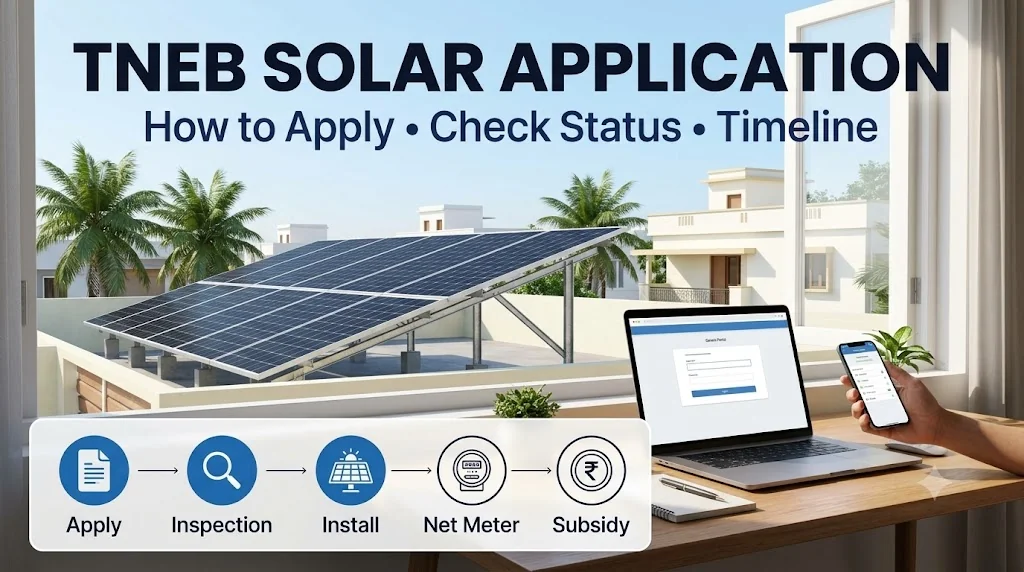
Short answer: to apply for rooftop solar with TNEB (now TNPDCL) in 2026, register on the national PM Surya Ghar portal (pmsuryaghar.gov.in) or TNPDCL's Unified Solar Rooftop Portal (USRP) at tnebltd.gov.in/usrp, using your EB consumer number and the mobile number linked to it. Choose a registered vendor, wait for feasibility approval (1-2 weeks), install, and the net meter and subsidy follow. To check your status, log in with the same mobile and consumer number and open your application.
Portal names, steps and timelines as of October 2026. Screens change from time to time; your installer can check the status with you.
Which Portal Should You Use?
| Portal | Address | Use it for |
|---|---|---|
| PM Surya Ghar (national) | pmsuryaghar.gov.in | Registering for the central subsidy, choosing a vendor, tracking subsidy |
| TNPDCL Unified Solar Rooftop Portal (USRP) | tnebltd.gov.in/usrp | Tamil Nadu rooftop applications with or without subsidy, net metering |
Both lead to the same TNPDCL approval process for your connection. Domestic homes that want the subsidy apply under the subsidy option; shops and other categories apply without subsidy. Applications registered on or after 5 August 2026 are eligible for the ₹22,000 Tamil Nadu top-up in addition to the ₹78,000 central subsidy. Details: ₹1 lakh solar subsidy in Tamil Nadu.
Step by Step: How to Apply
- Keep your EB bill and phone ready. You need the consumer (service connection) number and the mobile number registered with TNPDCL. OTPs go to this number.
- Register on the portal. Select Tamil Nadu, TNPDCL, and enter your consumer number. Check that the name shown matches your Aadhaar.
- Fill the application. Choose rooftop solar with subsidy (for homes), enter the system size (for example 3kW) and upload the requested documents.
- Choose a registered vendor. Only vendors listed on the portal can install systems that receive the subsidy.
- Wait for feasibility approval. The section office checks your sanctioned load, dues and local transformer capacity, usually in 1-2 weeks.
- Installation. Your vendor installs the system (1-3 days) and uploads the details, panel serial numbers and photos.
- Inspection and net meter. TNPDCL inspects and fixes a bi-directional net meter, usually in 2-6 weeks.
- Commissioning and subsidy. After commissioning is recorded, the central subsidy is usually credited in about 30 days; the TN top-up is paid separately by TEDA.
Not sure you qualify? Use the 30-second subsidy eligibility checker first.
Documents You Need
| Document | Notes |
|---|---|
| Latest EB bill | Must be in the applicant's name |
| Aadhaar card | Mobile number linked for OTP |
| Property proof | Tax receipt or sale deed |
| Bank passbook or cancelled cheque | Same name as the applicant |
| Roof photo | Clear view of the space for panels |
| Technical documents | Uploaded by your installer after installation |
The most common delay is a name mismatch between the EB bill and Aadhaar. If the meter is still in a parent's name, start the name transfer first.
How to Check Your Application Status
- Open the portal where you applied (PM Surya Ghar or USRP).
- Log in with your registered mobile number and consumer number (OTP based).
- Open your application to see the current stage and any remarks.
What Each Status Usually Means
| Status | Meaning | What to do |
|---|---|---|
| Application submitted | Waiting for feasibility check | Wait 1-2 weeks; clear any pending dues |
| Feasibility approved | You can install | Book installation with your registered vendor |
| Feasibility rejected | Load, dues or connection issue | Read the remark, fix it, resubmit |
| Installation details submitted | Waiting for inspection | Inspection and net meter usually in 2-6 weeks |
| Commissioned | System approved | Central subsidy usually in about 30 days |
| Subsidy pending | Bank or document issue | Check bank details and uploads, then raise a query |
If you see a rejection, read PM Surya Ghar application rejected: 8 reasons and fixes.
Why Applications Get Stuck (and Fixes)
| Problem | Fix |
|---|---|
| Sanctioned load lower than system size | Apply for load enhancement with your application |
| Pending EB dues | Pay and keep the receipt |
| Name mismatch (bill, Aadhaar, bank) | Name transfer or matching bank account |
| Wrong mobile number on the connection | Update it at the section office so OTPs reach you |
| Non-DCR panels or unregistered vendor | Avoid this from the start; it cannot be fixed later |
Timeline From Application to Subsidy
| Stage | Typical time |
|---|---|
| Registration and application | 1 day |
| Feasibility approval | 1 - 2 weeks |
| Installation | 1 - 3 days |
| Inspection + net meter | 2 - 6 weeks |
| Central subsidy credit | about 30 days after commissioning |
| Total | about 6 - 10 weeks |
Full breakdown: solar installation timeline: booking to net meter. Waiting for the net meter? A zero export device can let you use solar for your own load in the meantime.
Tips From Our Team
- Apply before you sign a quote that is not itemised. You should know the panel model and DCR status before the installation stage.
- Keep screenshots of every status change and your application number.
- Do not pay 100% upfront. A fair schedule is a moderate advance, the main payment on delivery and the balance after installation. See how to compare solar quotations.
- Apply early in 2026-27. The central scheme is approved till 31 March 2027, and the TN top-up is reported to be limited to the first 1 lakh eligible homes. See PM Surya Ghar last date 2027.
Frequently Asked Questions
How do I apply for rooftop solar with TNEB?
How can I check my TNEB solar application status?
What documents are needed for a TNEB solar application?
How long does TNEB take to approve solar?
My application status has not changed for weeks. What should I do?
We Apply and Track It for You
As a registered PM Surya Ghar vendor with 150+ installations in Cuddalore district, we handle the application, documents, TNPDCL follow-up, net meter and subsidy tracking. Stuck application? WhatsApp your application number to +91 7904369094 for a free check.
Get a Free Rooftop Assessment
Our engineers will visit your site, analyze shadow-free area, and provide a detailed solar report.
Book Free AssessmentTags
Ready to Switch to Solar?
Get a customized solar solution for your home. Save up to 90% on electricity bills!
- Free Site Visit
- Govt. Subsidy Support
- 25 Years Warranty